Income Tax Calculator
Check your take-home pay easily using the Salary Calculator
Table of Contents- Introduction
- What Is an Income Tax Calculator
- Why You Need an Income Tax Calculator
- Key Features of a Modern Income Tax Calculator
- Understanding Filing Status and Basics
- Income Sources Explained
- Deductions and Credits Breakdown
- Step-by-Step Calculation Process
- Federal vs State Tax Differences
- Pay Calculator Georgia – State-Specific Insights
- Calculator My Paycheck – Take-Home Pay Planning
- Smart Tax Optimization Tips
- Common Tax Filing Mistakes to Avoid
- Who Should Use an Income Tax Calculator
- Frequently Asked Questions
- Conclusion
Introduction
- Introduction
- What Is an Income Tax Calculator
- Why You Need an Income Tax Calculator
- Key Features of a Modern Income Tax Calculator
- Understanding Filing Status and Basics
- Income Sources Explained
- Deductions and Credits Breakdown
- Step-by-Step Calculation Process
- Federal vs State Tax Differences
- Pay Calculator Georgia – State-Specific Insights
- Calculator My Paycheck – Take-Home Pay Planning
- Smart Tax Optimization Tips
- Common Tax Filing Mistakes to Avoid
- Who Should Use an Income Tax Calculator
- Frequently Asked Questions
- Conclusion
Introduction
Taxes are one of the most important financial responsibilities in every working person’s life, yet they remain one of the most confusing topics for the average taxpayer. Between federal brackets, state rules, deductions, and credits, even a small mistake can cost you hundreds or thousands of dollars. This is exactly where a reliable Income Tax becomes a true game-changer. Instead of manually flipping through tax tables, guessing your refund, or paying a professional just to estimate your liability, you can use an Income Tax Calculator to get accurate results in seconds.
In this complete guide, we will walk you through everything you need to know about using an Income Tax , including how it works, what fields to fill, how to interpret results, and how to use it for smart financial planning. We will also cover specialized tools like the Pay Calculator Georgia and Calculator My Paycheck, which help residents understand their net income after all deductions.
What Is an Income Tax Calculator
An Income Tax Calculator is a digital financial tool that estimates how much tax you owe to federal and state authorities based on your income, filing status, deductions, and credits. It uses official tax brackets, standard deduction values, and credit rules to produce an accurate estimate of your liability or refund.
A modern Income Tax is not just a basic adder — it is a complete personal tax dashboard. It allows you to enter multiple income sources such as wages, self-employment income, dividends, interest, capital gains, rental income, pensions, Social Security benefits, and more. It also lets you input deductions like IRA contributions, student loan interest, mortgage interest, medical expenses, charitable donations, and credits such as the Child Tax Credit, Education Credit, Earned Income Credit, and Dependent Care Credit.
Why You Need an Income Tax Calculator
Many people only think about taxes once a year, usually in panic mode right before the filing deadline. This approach leads to missed savings, overpaid taxes, and unnecessary stress. A good Income Tax Calculator helps you stay ahead all year long.
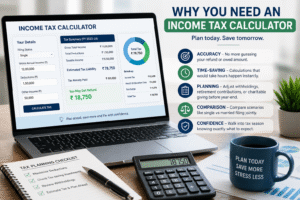
Here are the strongest reasons to use an Income Tax Calculator regularly:
- Accuracy – No more guessing your refund or owed amount.
- Time-saving – Calculations that would take hours manually happen instantly.
- Planning – Adjust withholdings, retirement contributions, or charitable giving before year-end.
- Comparison – Compare scenarios like single vs married filing jointly.
- Confidence – Walk into tax season knowing exactly what to expect.
When you use an Income Tax Calculator consistently, you stop reacting to taxes and start controlling them.
Key Features of a Modern Income Tax Calculator
A high-quality Income Tax Calculator offers far more than a single number at the bottom of the page. The most powerful tools include:
- Multi-source income tracking
- Custom deductions and credits input
- Federal and state tax estimation
- Visual charts showing tax breakdown
- Mobile-responsive design for use anywhere
- Filing status comparison
- Effective and marginal tax rate display
- Take-home pay estimation
These features turn a simple Income Tax Calculator into a complete financial planning tool.
Understanding Filing Status and Basics
Before using any Income Tax Calculator, you must understand filing status, because it directly affects your tax brackets and standard deduction.
The main filing statuses are:
- Single – Unmarried individuals
- Married Filing Jointly – Couples combining income
- Married Filing Separately – Couples filing individually
- Head of Household – Unmarried with qualifying dependents
- Qualifying Widow(er) – Recent widow with dependent child
Choosing the correct status inside the Income Tax ensures your final result is accurate. The wrong status can change your refund by thousands of dollars.
Income Sources Explained
A complete Income Tax Calculator allows you to enter every realistic income source. Below is an in-depth look at the most common ones:
- Wages and Salary – Your primary employment income from W-2 forms.
- Self-Employment Income – Earnings from freelancing, contracting, or small business work.
- Interest Income – Bank account interest, bonds, and CDs.
- Ordinary Dividends – Cash dividends from stocks taxed as regular income.
- Qualified Dividends – Taxed at lower long-term capital gains rates.
- Short-Term Capital Gains – Profit on assets held less than a year.
- Long-Term Capital Gains – Profit on assets held over a year, taxed at lower rates.
- Rental Income – Net income from property rentals.
- Pension and Retirement Distributions – Withdrawals from 401(k), traditional IRA, and pension plans.
- Social Security Benefits – Partially taxable depending on total income.
- Unemployment Compensation – Fully taxable at the federal level.
- Alimony Received – Taxable for older divorce agreements.
- Royalties – Income from intellectual property or natural resources.
- Other Income – Gambling winnings, prizes, and miscellaneous income.
When you enter all these into the Income Tax Calculator, you get a true picture of your total taxable income.
Deductions and Credits Breakdown
Deductions reduce taxable income, while credits reduce tax owed directly. Both lower your liability, but credits are usually more powerful.
Common Deductions in an Income Tax Calculator:
- Standard Deduction – Automatic flat deduction.
- Itemized Deductions – Use when itemized total exceeds the standard.
- IRA Contributions – Traditional retirement savings.
- Student Loan Interest – Up to a yearly limit.
- Mortgage Interest – On primary or secondary home loans.
- Property Tax – Subject to SALT cap.
- State Income Tax Paid – Part of SALT itemized deduction.
- Charitable Donations – Cash and non-cash gifts.
- Medical Expenses – Above a percentage of AGI.
- HSA Contributions – Tax-deductible health savings.
- Self-Employed Health Insurance – Full deduction for qualifying individuals.
- Educator Expenses – Classroom supply costs.
- Tuition and Fees – Through education-related deductions.
- Tip Income Adjustments – Reported tip handling.
Common Credits:
- Child Tax Credit – Per qualifying child.
- Earned Income Tax Credit (EITC) – For low to moderate income earners.
- Child and Dependent Care Credit – For childcare expenses.
- Education Credits – American Opportunity and Lifetime Learning.
- Saver’s Credit – For retirement contributions.
- Adoption Credit – Adoption-related expenses.
- Energy Credits – For solar, EVs, and home efficiency.
The Income Tax Calculator combines all of these to produce your true liability.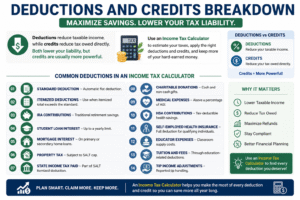
Step-by-Step Calculation Process
Here is exactly how an Income Tax Calculator works internally:
- Add total income from all sources.
- Subtract adjustments (above-the-line deductions) to get AGI.
- Subtract standard or itemized deduction to get taxable income.
- Apply federal tax brackets to compute base tax.
- Apply state and local tax rates for additional liability.
- Subtract tax credits to get final tax owed.
- Compare with withholding to determine refund or balance due.
A modern Income Tax Calculator does all of this instantly with a clean, visual breakdown.
Federal vs State Tax Differences
Federal tax is the same across all states, but state tax rates vary dramatically. Some states like Florida, Texas, Nevada, and Washington have no state income tax, while others like California and New York have high progressive rates. Georgia has its own structure that residents must understand carefully.
A reliable Income Tax Calculator lets you input both federal and state values for the most accurate result.
Pay Calculator Georgia – State-Specific Insights
The Pay Calculator Georgia is a specialized version of an Income Tax built for Georgia residents. Georgia uses a flat state income tax rate that applies to most taxable income after standard deductions and personal exemptions.
When you use a Pay Calculator Georgia, it considers:
- Federal income tax
- Georgia state income tax
- FICA (Social Security and Medicare)
- Local taxes if applicable
- Pre-tax deductions like 401(k) and health insurance
The result tells you exactly how much money lands in your bank account after every paycheck. The Pay Calculator Georgia is ideal for employees, freelancers, and contractors who want full clarity on their net income.
Calculator My Paycheck – Take-Home Pay Planning
A Calculator My Paycheck tool helps employees see the difference between gross pay and net pay. Many workers are surprised to find that 20–30% of their paycheck disappears into taxes and deductions.
The Calculator My Paycheck feature inside an Income Tax breaks down:
- Gross income
- Federal withholding
- State withholding
- Social Security
- Medicare
- Insurance premiums
- Retirement contributions
- Final take-home pay
By using the Calculator My Paycheck, you can adjust your W-4 withholdings, increase retirement savings, or change insurance plans to maximize your real income.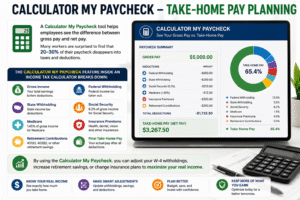
Smart Tax Optimization Tips
Once you understand your numbers using an Income Tax Calculator, you can take action to legally lower your taxes:
- Maximize retirement contributions to 401(k), IRA, and HSA.
- Bundle charitable donations in high-income years.
- Use tax-loss harvesting to offset capital gains.
- Claim every eligible credit, especially Child and Education credits.
- Track business expenses if self-employed.
- Adjust withholding based on Calculator My Paycheck results.
- Time large income events strategically.
- Use HSA accounts for tax-free medical savings.
The smartest taxpayers run their numbers through an Income Tax several times a year — not just at filing time.
Common Tax Filing Mistakes to Avoid
Even with a great Income Tax Calculator, these mistakes can hurt your results:
- Wrong filing status
- Missing income sources like side gigs or interest
- Forgetting deductions like student loan interest
- Skipping credits you qualify for
- Incorrect dependent information
- Not updating W-4 after life events
- Ignoring state taxes
- Filing late without an extension
Always double-check entries inside your Income Tax before relying on the result.

Who Should Use an Income Tax Calculator
An Income Tax Calculator is useful for nearly every adult earning income, but it is especially valuable for:
- Salaried employees planning withholdings
- Freelancers and gig workers estimating quarterly taxes
- Small business owners managing self-employment tax
- Investors tracking dividends and capital gains
- Retirees balancing pensions and Social Security
- Parents maximizing child-related credits
- Students claiming education credits
- Georgia residents using the Pay Calculator Georgia
- Anyone curious about take-home pay via Calculator My Paycheck
No matter your income level, an Income Tax Calculator provides clarity.
Frequently Asked Questions
Q1: Is an Income Tax Calculator accurate? Yes, when you enter complete and correct data, an Income Tax provides highly accurate estimates based on official tax brackets.
Q2: Can I use it for both federal and state taxes? Absolutely. A modern Income Tax supports both, including specialized versions like the Pay Calculator Georgia.
Q3: Does it replace a CPA? For simple to moderately complex returns, yes. For complex business or international situations, professional advice is still recommended.
Q4: How often should I use it? At least quarterly, and especially after major life events like marriage, having a child, or starting a new job.
Q5: Can I see my net paycheck? Yes, using the Calculator My Paycheck feature you can view exact take-home pay.
Conclusion
A modern Income Tax Calculator is more than just a number cruncher — it is a personal financial planning powerhouse. It transforms confusion into clarity, replaces guesswork with precision, and gives every taxpayer the ability to make smarter financial decisions throughout the year. Whether you are a salaried employee, a freelancer, an investor, a retiree, or a small business owner, an Income Tax belongs in your financial toolkit.
By combining it with specialized tools like the Pay Calculator Georgia and Calculator Paycheck, you gain a complete understanding of your gross income, deductions, credits, withholdings, and net take-home pay. The result is better budgeting, smarter savings, lower tax bills, and greater peace of mind.
Start using an Income Tax today, and take full control of your financial future — one accurate calculation at a time.
Managing taxes no longer needs to feel stressful, confusing, or overwhelming. With the help of modern financial tools and advanced online solutions, users can now estimate deductions, understand yearly liabilities, and review financial details within seconds. Instead of spending hours on manual calculations, digital tools provide fast, accurate, and reliable results that improve financial decision-making.
A professional online tax estimation tool offers much more than simple calculations. It helps employees, freelancers, self-employed professionals, and business owners gain a clearer understanding of their finances. From checking salary deductions to reviewing refunds and yearly obligations, these tools make the entire process simple, efficient, and user-friendly.
One of the biggest advantages is convenience and accuracy. Users can quickly compare different financial situations, income levels, or deduction amounts without needing advanced accounting knowledge. This not only saves valuable time but also improves financial confidence and long-term planning. Accurate estimates can also reduce filing mistakes that may lead to penalties, delays, or unnecessary stress.
Modern digital solutions also support better budgeting and smarter money management. By reviewing financial estimates ahead of time, users can make informed decisions related to savings, investments, retirement planning, and monthly expenses. This creates greater financial awareness and helps individuals stay prepared throughout the year rather than rushing during tax season.
As technology continues to improve, online financial calculators are becoming an essential part of everyday financial planning. They provide speed, simplicity, transparency, and peace of mind for users of all experience levels. Whether someone wants to estimate deductions, understand take-home income, or prepare for future financial goals, these tools make the process significantly easier.
Choosing a reliable digital calculator means gaining better control, improved accuracy, and smarter financial planning for the future.